A big thank you to the organizations that help make Read Along more impactful, helpful and fun.
Play animationPause animation
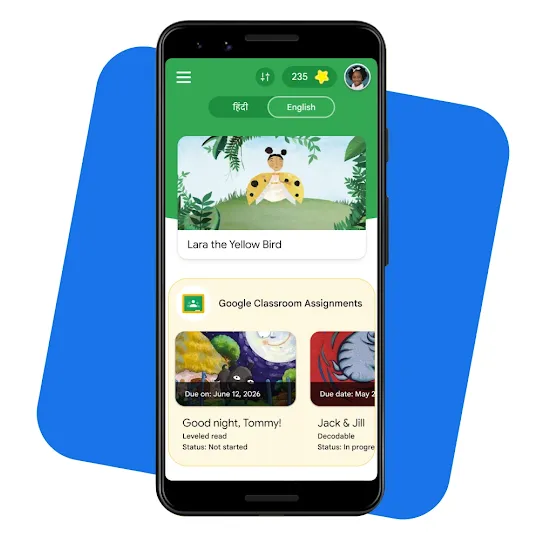
Read Along in Google Classroom
Educators can assign differentiated reading activities that give learners real-time assistance with pronunciation, while giving teachers detailed insights to inform instruction. Read Along in Google Classroom requires a Google Workspace for Education account.
Play silent looping video Pause silent looping video
Create and upload your own content
Create and upload your own content
Upload existing materials or generate stories with the help of Gemini directly in Read Along in Classroom to create custom, interactive reading activities to give students tailored practice. Gemini-generated stories are intended as a writing aid for educators to review, customize, and approve before assigning to students.
Play silent looping video Pause silent looping video
Provide real-time reading support
Provide real-time reading support
Students can get help from the reading buddy when they struggle. Multilingual learners can get support in their native language as they learn to read in a second language.
You can find the full list of supported languages for the Read Along mobile app and web experience here. For Read Along in Google Classroom, you see the full list of supported languages here.
Does Read Along work on my phone or other device?
Read Along has a mobile app for Android phones as well as a web experience for any device. The Android app is designed to work well on low-cost smartphones and requires little bandwidth. The Android app also runs offline.
How does Read Along work on a shared device?
The Read Along mobile app on Android supports multiple users, such as when a mobile phone is shared by several family members. Learn more.
What happens to Read Along data? What are the privacy and security practices?
When learners read aloud, their voice data is primarily processed only on the user’s device and is not shared with Google. In limited cases, voice data is sent temporarily to Google servers to enable real-time speech recognition. Voice data is not stored at all after processing. Read Along can be used without signing in or providing location or contact information.